Key Terminology
1Signing a Document
You do not need an account to sign. Everything happens in your web browser on both desktop and mobile. All you need is the signing invitation email with a secure link.
Signing Invitation
An email with a secure signing link sent by the document sender
Web Browser
Any modern browser on desktop or mobile — no software installation needed
No Account Required
Sign directly from the link in your email — no registration or login needed
1Open the Signing Link
You receive an email notification with a secure link. Click the button to open the signing page directly in your browser.
Digital Signing Request
A document has been sent to you for signing. Please click the button below to review and sign.
This link will open the document in your browser. No account required.
Example signing invitation — actual email content and branding may vary
Email Notifications You May Receive
Signing Invitation
An email with a secure link when a document is sent to you for signing.
Reminders
Follow-up emails if you have not yet signed, containing the same signing link.
Signing Completed
A notification once the sender has reviewed and marked the envelope as complete. You can download the signed PDF.
Envelope Cancelled
A notification if the sender cancels the envelope. The signing link will no longer be active.
2Understand the Interface
Once you open the signing link, you will see the signing interface. Here is a quick overview of the key areas on both desktop and mobile.
Desktop Layout
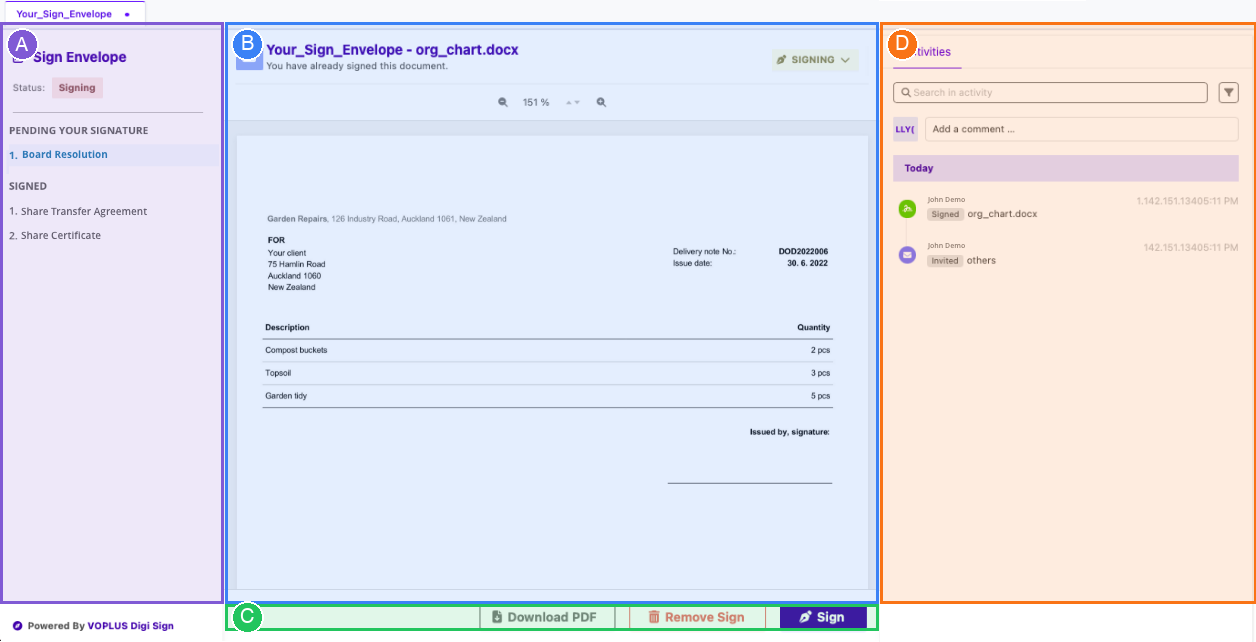
Document List
All documents in the envelope, grouped by status — Pending Your Signature and Signed.
Document Preview
The full content of the selected document. Use the zoom controls to adjust the view.
Action Buttons
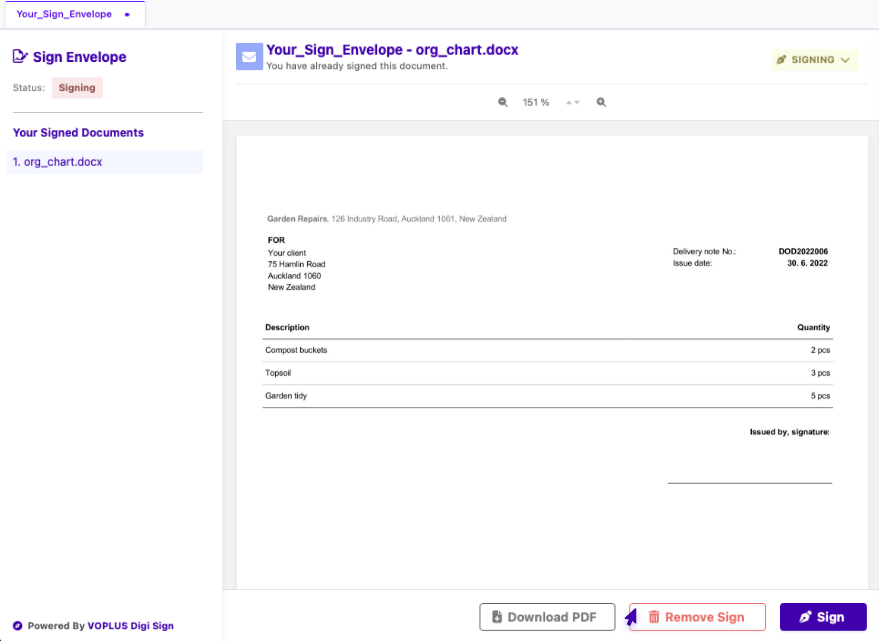
Download PDF, Remove Sign (if within the cancellation window), and Sign.
Activity Log
A timeline of all events — who signed, when invitations were sent, and any comments.
Mobile Layout
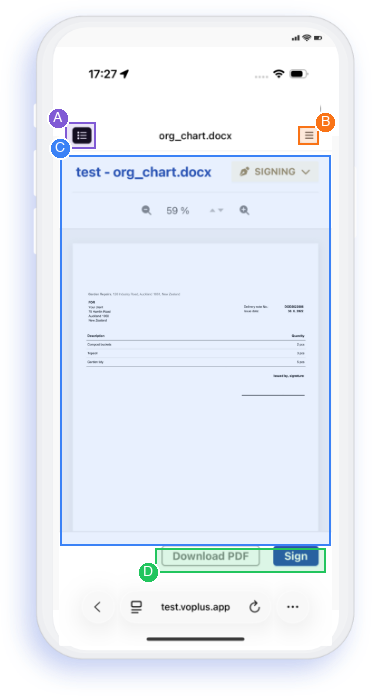
Document List Toggle
Tap to open the document list. Browse and switch between documents in the envelope.
Activity Log Toggle
Tap to open the activity log. View the full timeline of signing events.
Document Preview
The selected document with zoom controls. Scroll to review the full content.
Action Buttons
Download PDF and Sign buttons pinned at the bottom for easy access.
3Review & Sign the Document
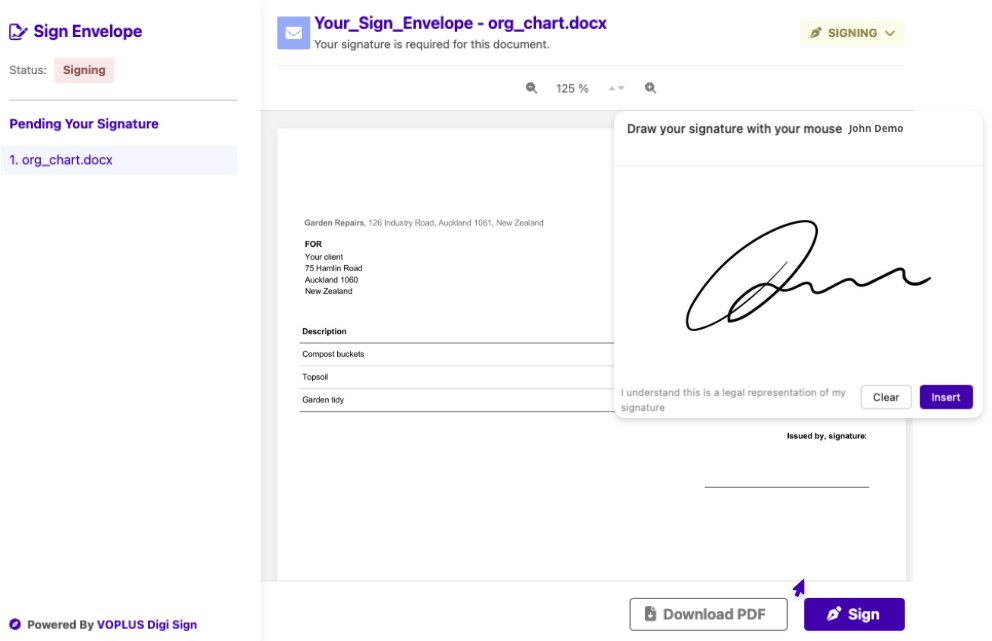
Read through the document carefully using the preview area. When you are ready, click the Sign button. The digital signature applies immediately — the document status updates from "Pending Your Signature" to "Signed" and the event is recorded with a timestamp in the activity log. If the envelope contains multiple documents, the system will prompt you to open the next one automatically.
4Download Signed PDF
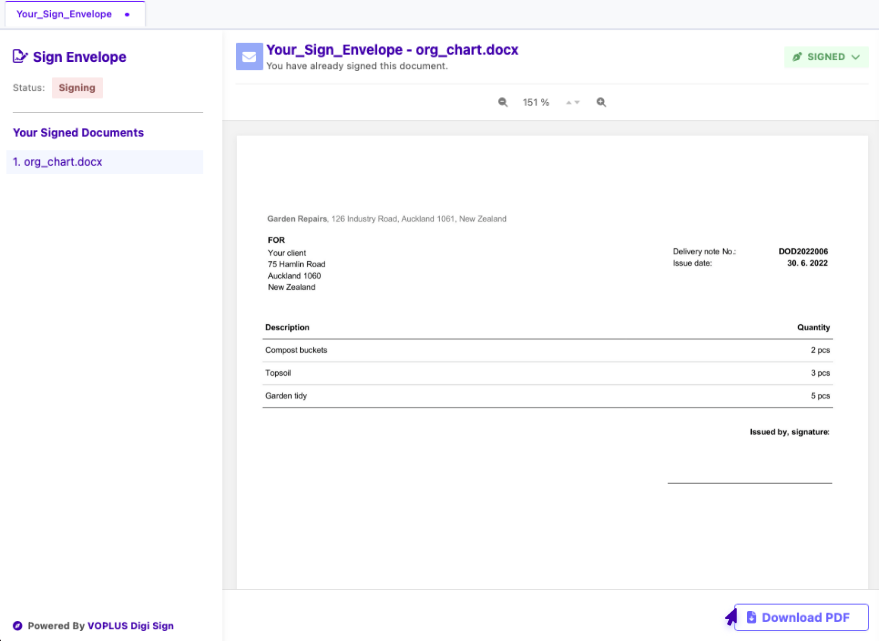
After signing, download the completed document including all signatures, timestamps, and audit trail. The signing link remains active — you can revisit the page at any time to download the PDF again.
Cancelling a Signature
You can revoke your signature within 15 minutes of signing, provided no other participants have signed afterward. Click the "Remove Sign" button and provide a cancellation reason.
Envelope Completion
The sender reviews the envelope and marks it as complete. Not all signers need to have signed — for example, an ordinary or special resolution may be completed once the required majority has signed. Once completed, the document becomes final — no further signatures or edits are allowed — and all participants receive a completion email.
Completed
Passed by special resolution (75%)
You can download the signed PDF from the link below.
Example completion email — actual content and branding may vary